Let Sean help you develop the products that fill your requirements and make your audience say wow!
Samples:
Sean has many more samples that he is able to review with you in person too.
Sean has served as the lead and/or primary developer and designer for many interactive Applications where he has preformed task such as: simple project management coordination with subject matter experts, storyboarded content, edited audio and video, created 3D content, illustrated, animated, developed templates, and programming. Some of these projects include:
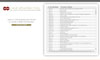

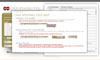
A mulesoft application with a front-end input form, that allows editing and updating of government managed chemicals.
Features:
- Uses HTML5 programming as a front-end interface so that CAS numbers can be selected and data retrieved.
- Data is processed and writen to multiple locations via Mulesoft.
- Simple One-Screen processing for managers to update/add/delete data related to CAS numbers.
- Helps with data integrity.
Development Features:
- Use of HTML5 and CSS.
- Use of Illustrator to design the interface.
- Use of simple JavaScript to add simple functionality to the interface.
- Mule integration.
- SQL integration.

A mulesoft application with a front-end input form, that allows entry of Tracking Numbers and other data that speeds up manual precessing and aids in accuracy.
Features:
- Uses HTML5 programming as a front-end interface so that daily tracking numbers can be selected and data retrieved.
- Data is processed and writen to multiple locations via Mulesoft.
- Simple One-Screen processing for fast processing of Pick-and-Pack duties.
- Helps with data integrity.
Development Features:
- Use of HTML5 and CSS.
- Use of Illustrator to design the interface.
- Use of simple JavaScript to add simple functionality to the interface.
- Mule integration.
- SQL integration.

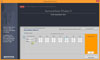
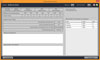
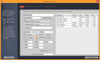

A mobile and Desktop application that is used to track project hours and task.
Features:
- Allows multiple roles to enter data, track hours and task related to a project.
- Allows reporting by project and output to PDF or Excel based on a project.
- Tracks roadblocks and notes based on Role
- Can manage multiple Projects by multiple users.
Development Features:
- Use of Air Code base.
- Use of Illustrator to design the interface.
- XML integration.



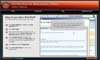
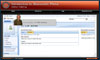
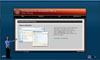
Demonstrates the TRADOC levels of interactive training and Northrop Grumman's Instructional Systems Development (ISD) approach. This CD includes samples/demos for levels 1 and 2 interactivity discussed in the ISD approach.
Features:
- Uses Green-screen cutouts of an animated presenter.
- Uses Audio synced animation and content in presentation.
- Animation of content to maintain interest and illustrate complicated subjects.
- Clean and easy navigation to enable users to jump to sections of the presentation.
- Has a full functional sample/demo for levels 1 and 2 interactivity discussed in the ISD approach.
- Each sample/demo demonstrates an online systems training with a “show me” demo (user watches), then a “try me” (user attempts the demo just performed), and then a quiz on the instruction.
- The “show me” demo allows the users to see the steps in filling out an online tool, and allows the users to skip any step in the process, or pause that step, and/or navigate the page and fields on that page. The demo could be played with in a half-screen mode, where the instructions are listed on the 1st half and animation on the 2nd half, or a full-screen mode, where the animation is displayed on the whole screen. The user could toggle from one mode to the other without restarting the instruction.
- The “Try me” demo allows the user to perform the steps just shown to them using a simulation where they are being supervised by a manager that gives feedback when the user makes incorrect and correct choices.
- The quiz evaluates the user’s knowledge and retention on the instruction for that section.
Development Features:
- Use of Flash programming (ActionScript), animation, and audio to aid in a small, but highly interactive presentation.
- Use of Photoshop to create Green-screen cutouts of presenter.
- Use of Flash programming (ActionScript) to create a online systems training tool similar to, but with added features, too Captivate.
- Use of Illustrator to build the interface and many of the graphics in the animations.
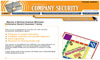




Northrop Grumman's information security web site for employees within the Northrop Grumman's corporate intranet. Used by one of five sectors in the corporation.
Features:
- Used simple HTML programming and fun illustrations to present a very dry content to a large audience.
- This was a training site and a resource web site for employees.
- Gave employees likes and access to many corporate documents.
- Content, Navigation, and Closed Captions could all be updated using XML data.
Development Features:
- Use of Illustrator to make fun illustrations to demonstrate the content on that page.
- Use of Illustrator to design the interface.
- Use of simple JavaScript to add simple functionality to the interface.
- XML integration.





Northrop Grumman's SCORM web-based training for employees within Integrated Enterprise Process (IEP) program. This was a multi module training assignment.
Features:
- Used simple HTML programming, Flash programming, and JavaScript programming to communicate to the Northrop Grumman learning management system (LMS).
- The training was programmed to track completion of each module, scores on test for each section of the training and an overall score and send the user back to sections that were not completed with a required competency.
- Used animations to exemplify a complicated process and workflow for the IEP program.
- Content, Navigation, and Closed Captions could all be updated using XML data.
Development Features:
- Use of Illustrator to make illustrations to demonstrate the content on that page.
- Use of Illustrator to design the interface.
- Use of simple JavaScript and ActionScript to interface with the LMS.
- The use of JavaScript to evaluate the browsers used and incorporate the correct communications needs to pass the API calls to the LMS.
- XML integration.





An online and CDROM interactive guide for new employees of the Technical Services Sector.
Features:
- Used simple HTML programming, Flash programming, and JavaScript programming to format to multiple screen resolutions create a presentation with Video, Animations, documents, and audio.
- Uses Green-screen cutouts of the animated presenters.
- Uses Audio synced animation and content in presentation.
- Uses Photos, Graphics, Videos and Audio to present many different types of content.
- Animation of content to maintain interest and illustrate complicated an assortment of subjects.
- Clean and easy navigation to enable users to jump to sections of the presentation.
- Content, Navigation, and Closed Captions could all be updated using XML data.
Development Features:
- Use of Flash programming (ActionScript), animation, and audio to aid in a small, but highly interactive presentation.
- Creation of complicated preloads for a variety of content in the presentation.
- Use of Photoshop to create Green-screen cutouts of presenters.
- Use of Illustrator and Photoshop to build the interface and many of the graphics in the animations.
- XML integration.

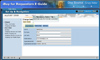

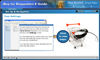

Northrop Grumman's SCORM cross-sector web-based training for employees using the iBuy system. This was a multi module training assignment.
Features:
- Used simple HTML programming, Flash programming, Captivate, and JavaScript programming to communicate to the Northrop Grumman learning management system (LMS).
- This training had 10 sections and allowed users to navigate using dropdown menus or Previous and Next navigation.
- Used Captivate animations to exemplify a complicated process and workflow for the iBuy system.
- Content, Navigation, and Closed Captions could all be updated using XML data.
Development Features:
- Use of Photoshop to edit photos.
- Use of Illustrator to design the interface.
- XML integration.
- Use of simple JavaScript and ActionScript to interface with the LMS.
- The use of JavaScript to evaluate the browsers used and incorporate the correct communications needs to pass the API calls to the LMS.

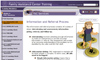
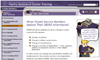
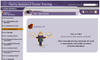
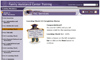
This initiative involved the development of many web sites. A few that Sean produced are the National Guard Youth site and message board, National Guard Family Program Assistance Center Site and message board, the National Guard Family Program (NGFP) Assistance Training Site (custom Learning Management System (LMS)), and 8 modules of training for the launch of the LMS.
Features:
- The development of most of the sites for the NGFP used HTML and Coldfusion.
- Some elements of the Youth Sites used Flash components to add interactivity and games.
- The LMS was developed with Coldfusion and had an admin and student rolls.
- The LMS had a Log-in that could administer by the admin roll to sign students up for the site and to add classes to their notebooks.
- The LMS tracked the completion, progress, and competency of the students for all the loaded lessons.
- Both of the message boards were developed using Coldfusion and had an admin/monitor roll and user rolls. Users could create topics and replay in a threaded discussion. The admin/monitor roll was there to delete any inappropriate comments or ban users if needed for the protection of the group.
Development Features:
- Coldfusion and Fusebox were used in the development.
- Use of Photoshop to edit photos.
- Use of Illustrator to design the interface.
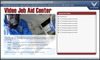
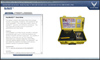
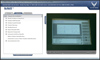
This Video Job Aid Center Tool allows students explore selected pieces of equipment and their functions. This Site offers three different segments to enhance and reinforce the learner's knowledge.
Features:
- The use of Flash Video and streaming video allowed for long instructional videos.
- The of XML allowed to updates to everything from the listing of videos, titles , descriptions, links to documents, photos, and even elements of the interface.
Development Features:
- Flash Video production.
- XML integration.
- Video streaming and preloading.